How I use AI in Everyday Life
This is how I use AI personally—how I’ve integrated AI into my daily life. Yes, I’m a software engineer, so I’m naturally drawn to technical tools. But this post isn’t about impressing you with jargon or complex workflows. It’s about showing you how AI has become a practical companion in both my work and personal life—and how you might find similar value, regardless of your technical background.
The Tools I Use
Let me start with what’s in my toolkit. At work, I primarily use command-line tools like kiro-cli. At home, it’s simpler: ChatGPT on my phone is my go-to, especially when I’m out and about and an idea strikes. I also try and experiment a few more tools like Claude (and Claude Code), v0, and Lovable.
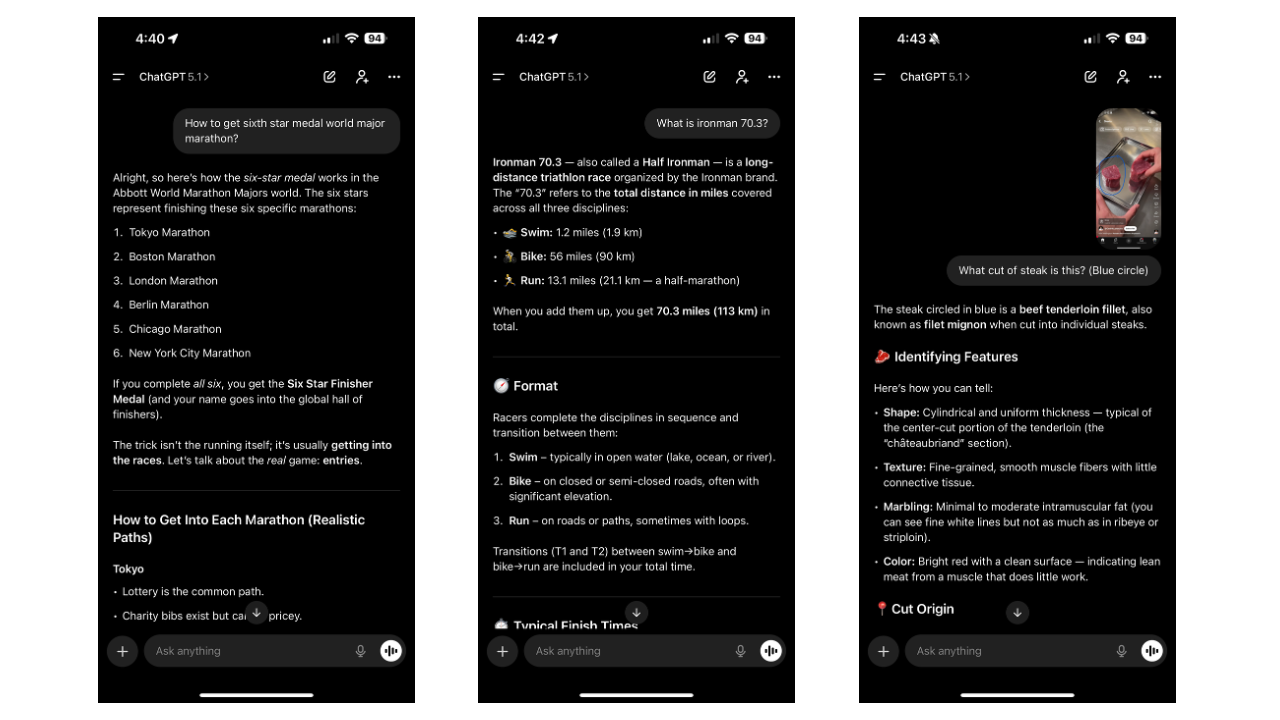 My typical ChatGPT conversation
Beyond the mainstream tools, I use a couple of specialized services. Wispr Flow is an AI-powered voice-to-text service I’ve installed on every device—it’s incredibly handy when typing isn’t convenient. I also use Tavily, which might sound unfamiliar. Think of it as a connector that gives AI additional capabilities. In this case, it’s a search service that lets my AI assistant explore websites and the internet more effectively. If you’re curious, these connectors are called MCP servers—basically plugins that extend what AI can do for you.
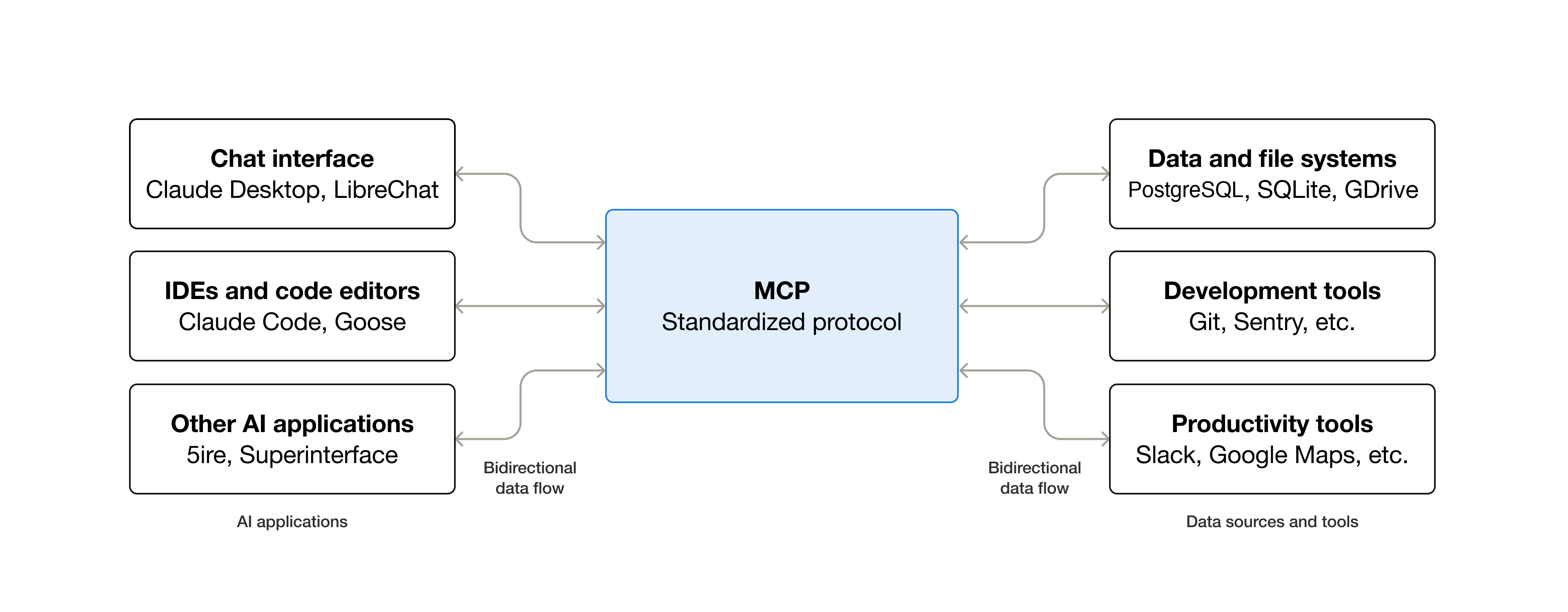 Simple MCP server diagram. Source: MCP documentation
Learning Anything, Fast
This is probably my number one use case, and it’s where AI truly shines for me.
I do a lot of what I call “deep research.” The process is straightforward: I ask the AI to explore a topic thoroughly, crawl relevant websites, process the information, and present it in a structured format I can digest later. It’s like having a research assistant who never sleeps.
Recently, I became curious about aviation. Within a few conversations, I learned how airports operate, what pilots actually do during flights, and the basic physics of how aircraft stay airborne. Another time, I dove into interior design principles to help decorate my home—just the fundamentals, but enough to make informed decisions about my space.
I’m also a recreational runner, and while I love the physical activity, I wanted to understand the science behind it. So I used AI to learn about running nutrition, proper form, and all those metrics like VO2max and HRV. More importantly, I learned what these numbers actually mean and how to improve them. The AI didn’t just give me data—it helped me understand the implications and what actions I could take.
Writing with AI as My Assistant
Here’s something important: when I write—whether it’s work documents or personal posts like this one—AI is my assistant, not my ghostwriter.
This distinction matters. AI can help you express yourself more clearly, but it shouldn’t replace your voice or your ideas.
All the thoughts, ideas, and perspectives come from me. The AI helps with grammar, suggests better phrasing, or helps me articulate what’s already in my head. I’m the thought leader; AI is just the writing assistant that helps me put my thoughts into words.
Coding and Building Things Quickly
Obviously, as a software engineer, I code a lot at work. But here’s what’s changed: I can now build a demo or a small utility application in 30 minutes to an hour. Most of these are simple Python scripts that handle mundane tasks, like batch-renaming files or crunching numbers.
The speed isn’t about showing off—it’s about removing friction. When I have an idea for a tool that could save me time, I can build it immediately instead of putting it on a “someday” list.
Understanding and Processing Information
AI excels at helping me understand things quickly. I use it constantly to:
- Summarise long documents (this is huge for work)
- Conduct deeper research on topics I’m curious about
- Make quick comparisons between options (A vs. B analyses)
- Convert messy, unstructured documents into usable data
Sometimes I have PDFs or even just screenshots of receipts or financial documents. I can feed these to AI and ask it to extract the information into a CSV file, which I then import into my personal finance software. What used to take 30 minutes of manual data entry now takes 2 minutes.
Cooking and Meal Planning
Here’s a use case that has nothing to do with my technical background: meal planning. I use AI all the time to get ideas for dinner, lunch, or meal prep based on whatever ingredients I have on hand. It’s like having a chef friend who can instantly suggest recipes.
“I have chicken, bell peppers, and rice. What can I make?” Within seconds, I get multiple options with instructions. It’s simple, practical, and saves me from the daily “what should I cook?” paralysis.
Final Thoughts
AI isn’t magic, and it’s not going to solve all your problems. But it can be a remarkably useful companion if you approach it as a tool rather than a replacement for your own thinking. Whether you’re learning something new, writing more clearly, or just figuring out what to cook for dinner, there’s probably a way AI can help.
The key is to start small. Pick one area where you feel stuck or where tasks feel repetitive. Try asking an AI assistant for help. You might be surprised at how quickly it becomes a natural part of your routine.
If you have not used AI so far, just start using it. You’ll be amazed!